
Analytics and reports
Call and WhatsApp analytics without asking anyone
Your call and WhatsApp numbers on one page: how many conversations came in and how they spread across the days. Every figure is compared with the period before, so you know whether things are improving or slipping.
How many calls you answered, and how many you missed
See the answer rate for incoming calls, how many calls were missed and how long callers wait before someone picks up. Each figure shows its change from the period before.
- It separates missed calls, calls an employee declined and calls left at the auto-attendant
- Call outcomes day by day, incoming and outgoing
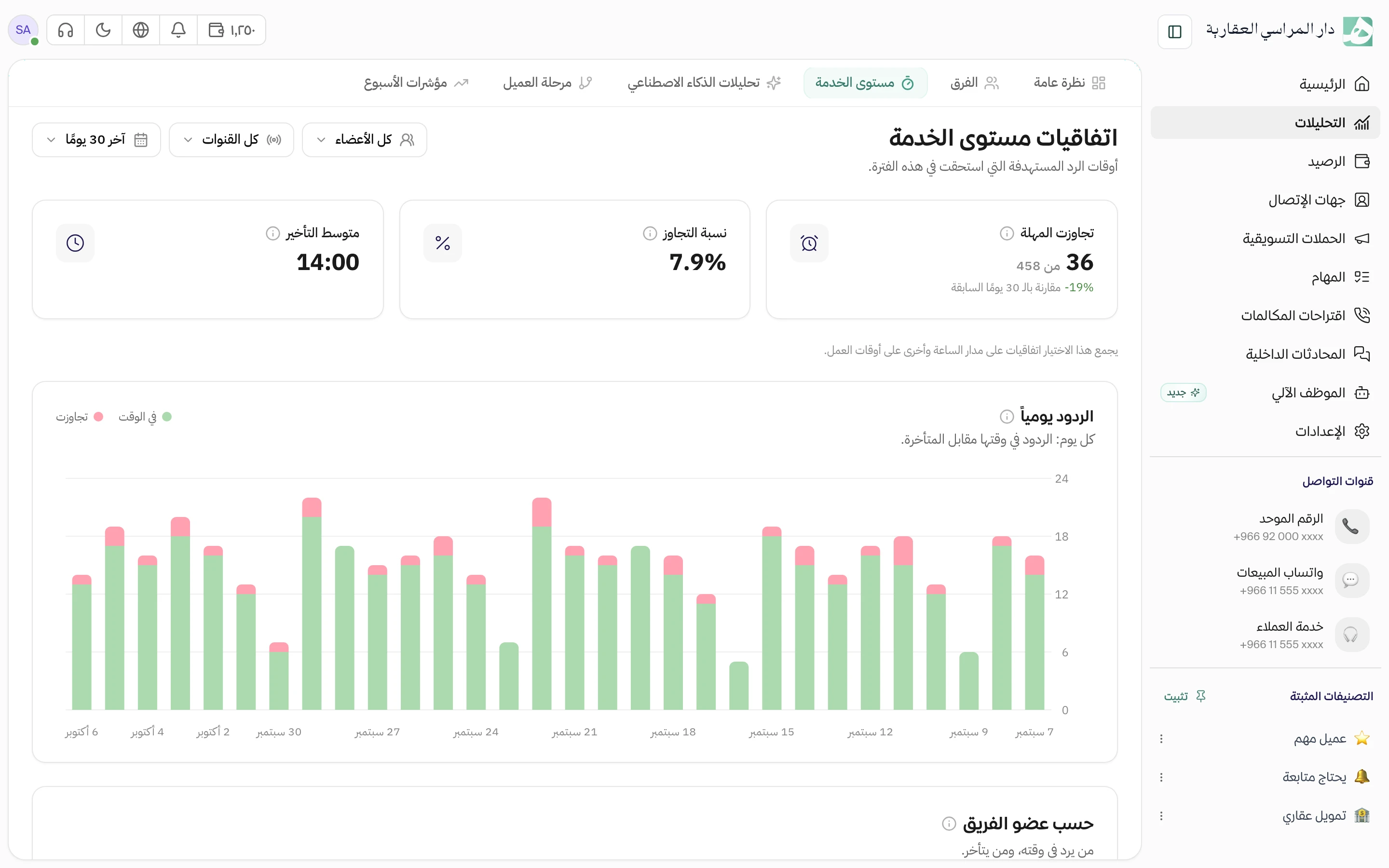
Every team’s reply speed in front of you
For each team, see how many conversations came in, how many were answered and closed, and how long it takes to give a customer a first reply. Drill down to one team member to see their numbers alone.
- First reply time, next reply time and time to close
- Daily or weekly, and for each channel on its own
What your customers talk to you about
Hatif reads your conversations and groups similar ones into topics, so you know what customers ask about most and what bothers them. Click any topic to open its conversations.
Every week, see what changed
Every Sunday you see what stood out from the usual: a topic that suddenly rose, a complaint that keeps coming back, or a new topic you didn’t hear about before. Each comes with a written explanation drawn from the conversations themselves.
Questions about this feature
Who on my team can see analytics?
Only people with the analytics permission in the workspace. Exporting the report has its own separate permission.
When do AI analytics and weekly signals appear?
Once you have enough analyzed conversations. Until then, you see your call and WhatsApp numbers on the overview.
Can I export the numbers out of Hatif?
Yes. Export the report for the period on screen, and it arrives in your email.
Related features
All features
Try Hatif with your team
Start with your unified number and have your team answer from one app.