
AI call summaries and transcripts
AI call summaries you read instead of listening
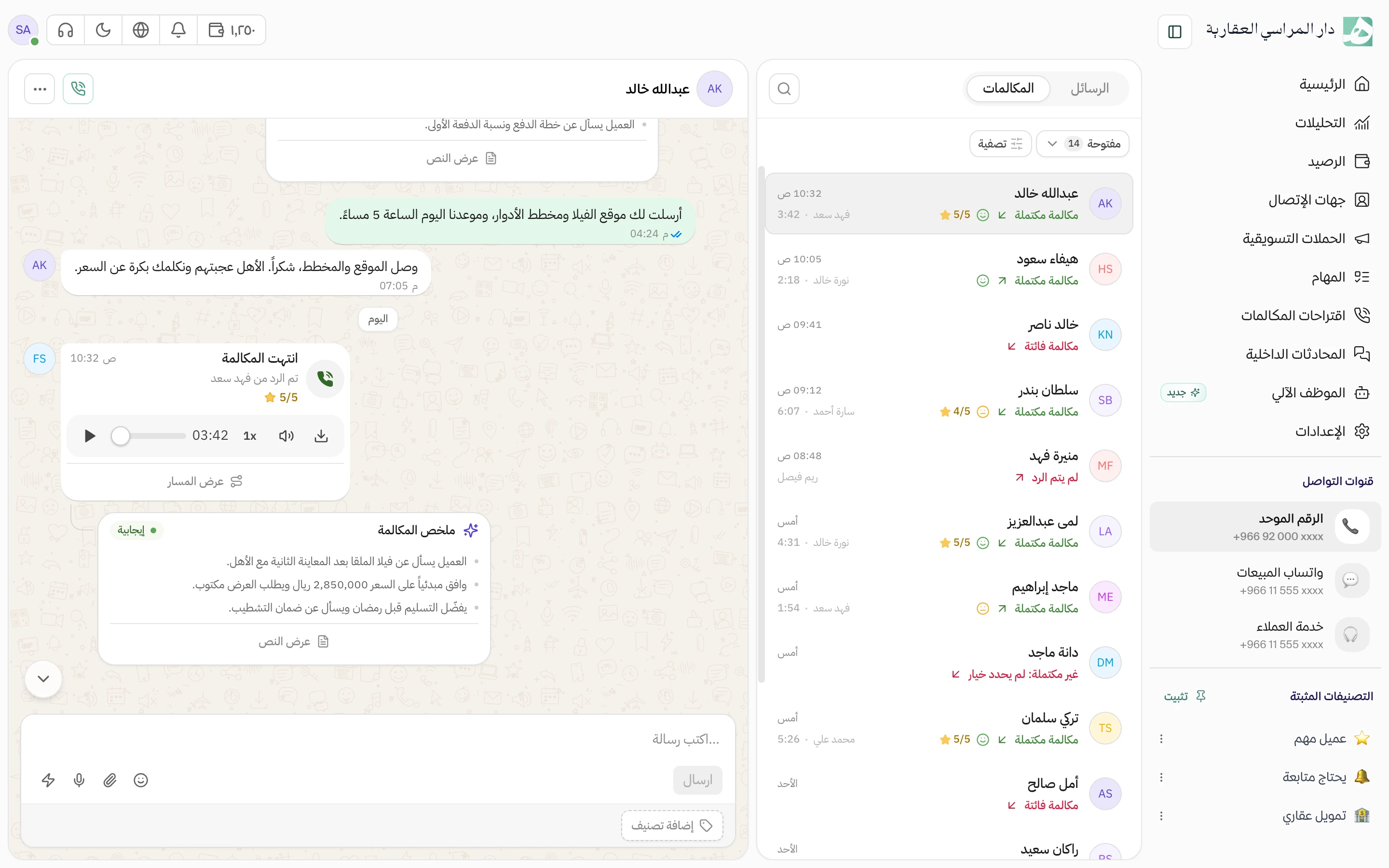
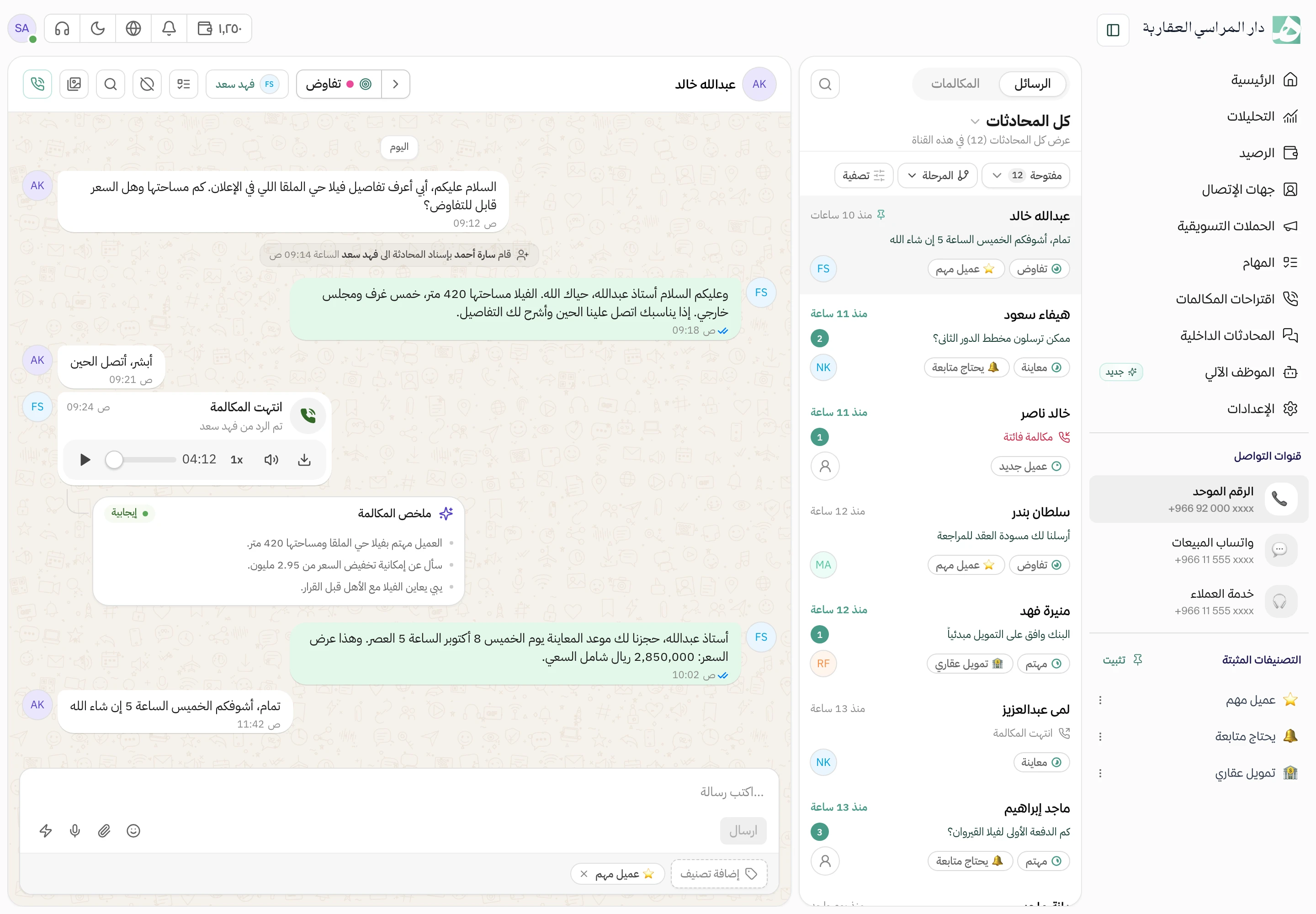
After every call, Hatif writes a short bullet-point summary in the customer’s conversation, with the customer’s sentiment and the full transcript. Any employee who opens the conversation knows what was said and picks up from there.
Hear the moment that matters without playing the whole call
The call is written out line by line, each line with who said it. Click a line’s timestamp and the recording jumps to that moment.
Read a WhatsApp voice note instead of playing it
When a customer sends a voice note on WhatsApp, Hatif writes its summary and transcript underneath, with the customer’s sentiment. Every conversation also has a short summary of everything that happened with the customer across calls and messages.
See which calls ended with an unhappy customer
Hatif rates the customer’s sentiment on every call as positive, neutral, negative or mixed. Filter on negative and only those calls come up, without listening to the rest.
Tell the summary what you want it to cover
Write in your own words what you want the summary to focus on, such as the price, the viewing date and the payment method, and Hatif follows it.
- Each channel has its own instructions, so the sales number can differ from customer service
- Plain text, with no technical setup
Questions about this feature
Does every call get a summary?
Every call with enough talk to analyze. A very short call gets no summary or sentiment, and other calls can take a little time to process after they end.
Can I take a call transcript outside Hatif?
Yes. Copy the full transcript or download it as a text file, with each line’s timestamp and the speaker’s name.
Where do I find the summary?
Under the call itself, in the customer’s conversation alongside the rest of their messages.
Try Hatif with your team
Start with your unified number and have your team answer from one app.