
Shared WhatsApp
One WhatsApp Business number for your whole team
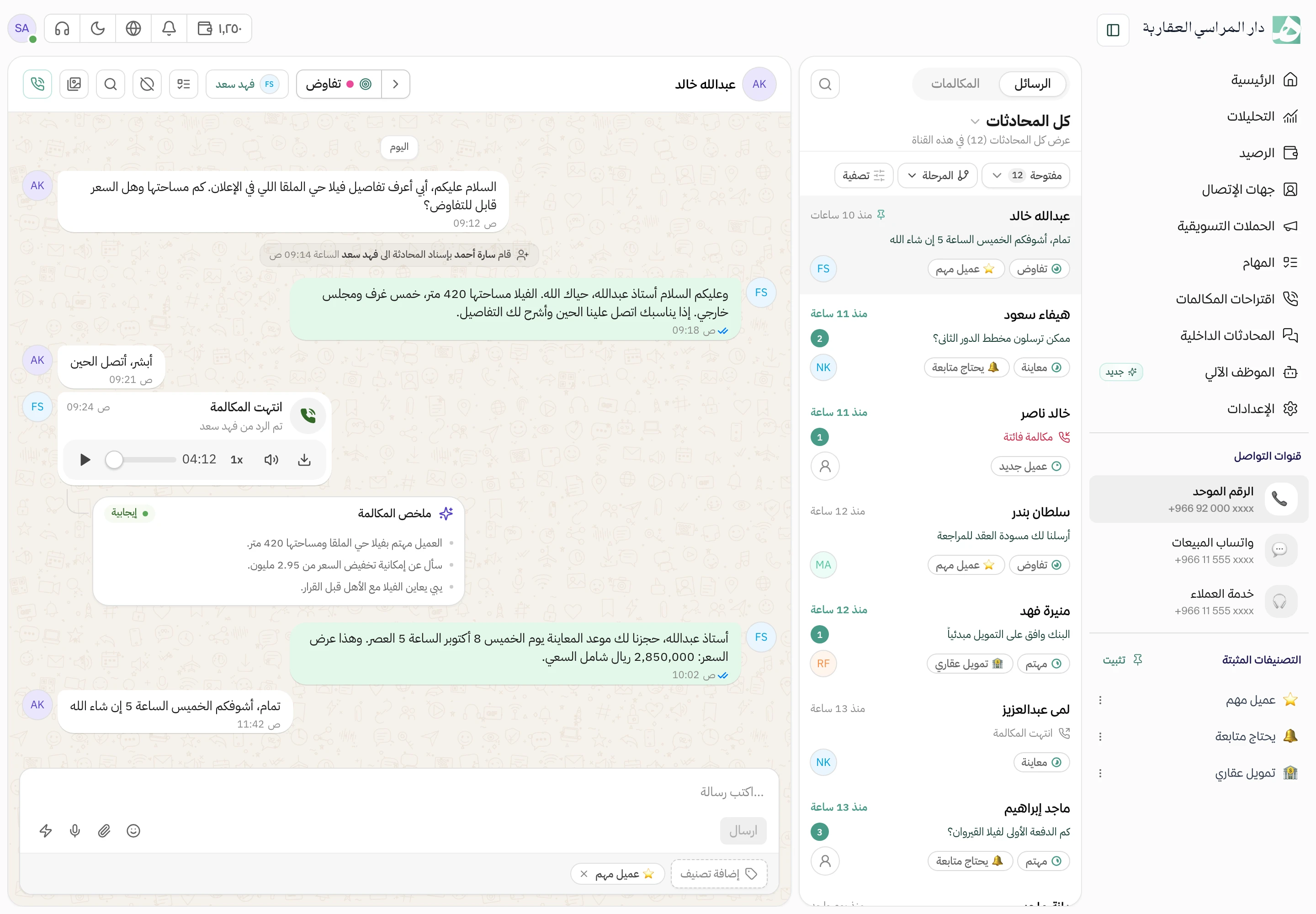
Your company’s WhatsApp messages land in an inbox the whole team can see, instead of on one employee’s phone. Anyone can open a conversation and carry on, and every reply shows who sent it.
Write the reply you send every day just once
The questions you get every day each have a ready reply. An employee picks it inside the conversation and edits it if they like, so the customer gets an answer fast.
- Replies are shared across the whole team
- A reply can carry an attachment, such as a floor plan or a brochure
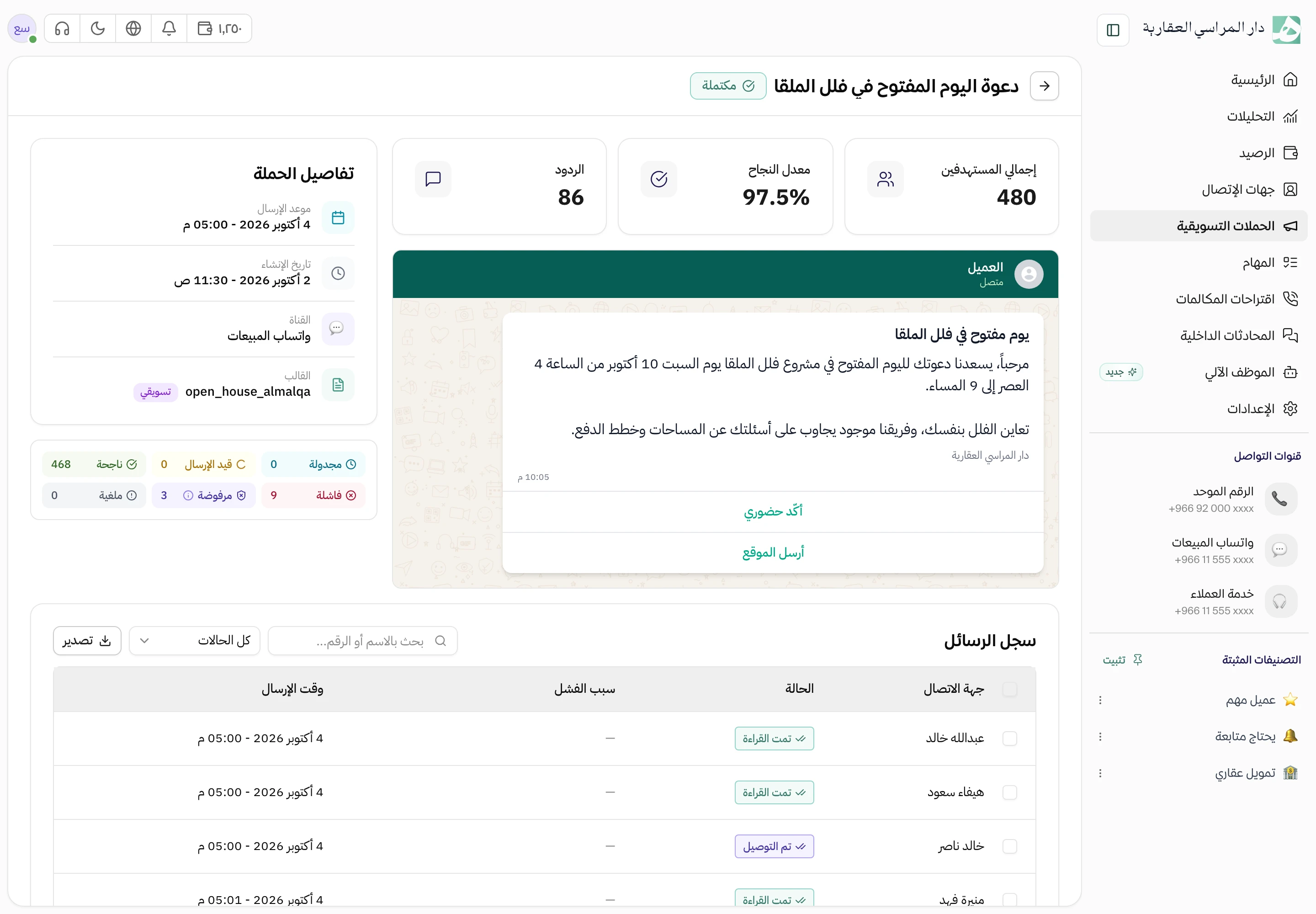
Start the conversation yourself with a Meta-approved template
WhatsApp lets you write freely to a customer within 24 hours of their last message. After that, or when you start the conversation, you need a template approved by Meta. Build it in Hatif and send it for approval from the same place.
- Add variables such as the customer’s name and appointment time
- Preview how it will look on the customer’s phone before you submit it
Customers get a reply, and the chat reaches the right team
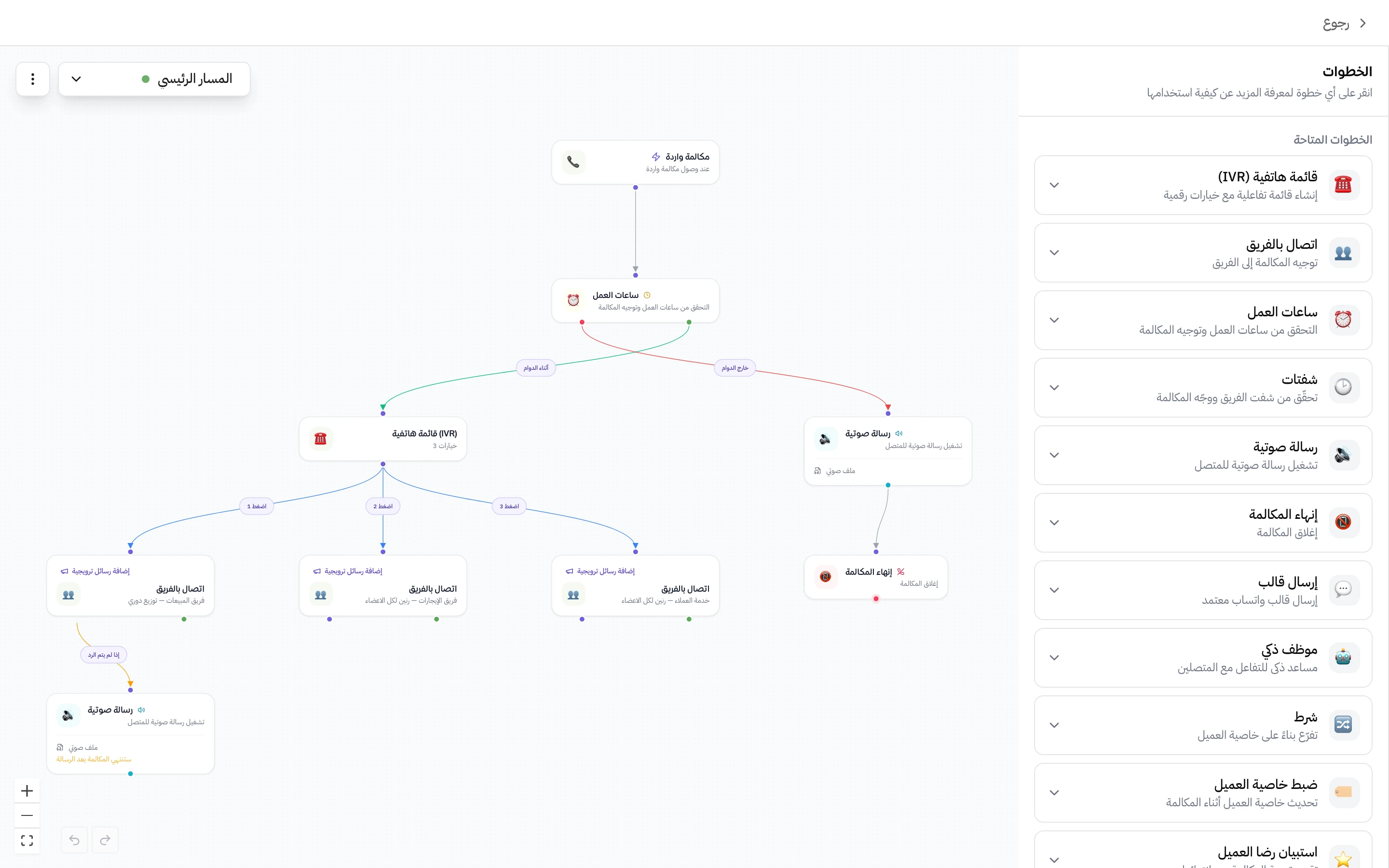
A customer messages you and gets a reply with buttons to choose from, and the conversation is assigned to the person or team responsible for that choice. You build the flow yourself with no code, and the message that goes out is the text you wrote.
- A different reply outside working hours
- Several flows per channel, and you switch on the one you want
A WhatsApp Business account in your company’s name, run from Hatif
Customers open your company’s WhatsApp profile and see its name, picture and description, and you edit them from Hatif. From the same place you track your daily message limit and the quality rating Meta gives your number.
Questions about this feature
Can I message a customer who has never messaged me?
Yes, but you start with a message template approved by Meta. Once the customer replies, you can write freely for 24 hours. This rule comes from WhatsApp itself.
Who can connect the account and create templates?
The workspace owner, and any member you give permission to. Connecting the account, templates and quick replies each have their own permission.
Can I create templates on the trial account?
No. Creating new templates requires upgrading from the trial to a paid plan.
Try Hatif with your team
Start with your unified number and have your team answer from one app.