
Call flows
Call flows that get every caller to the right team
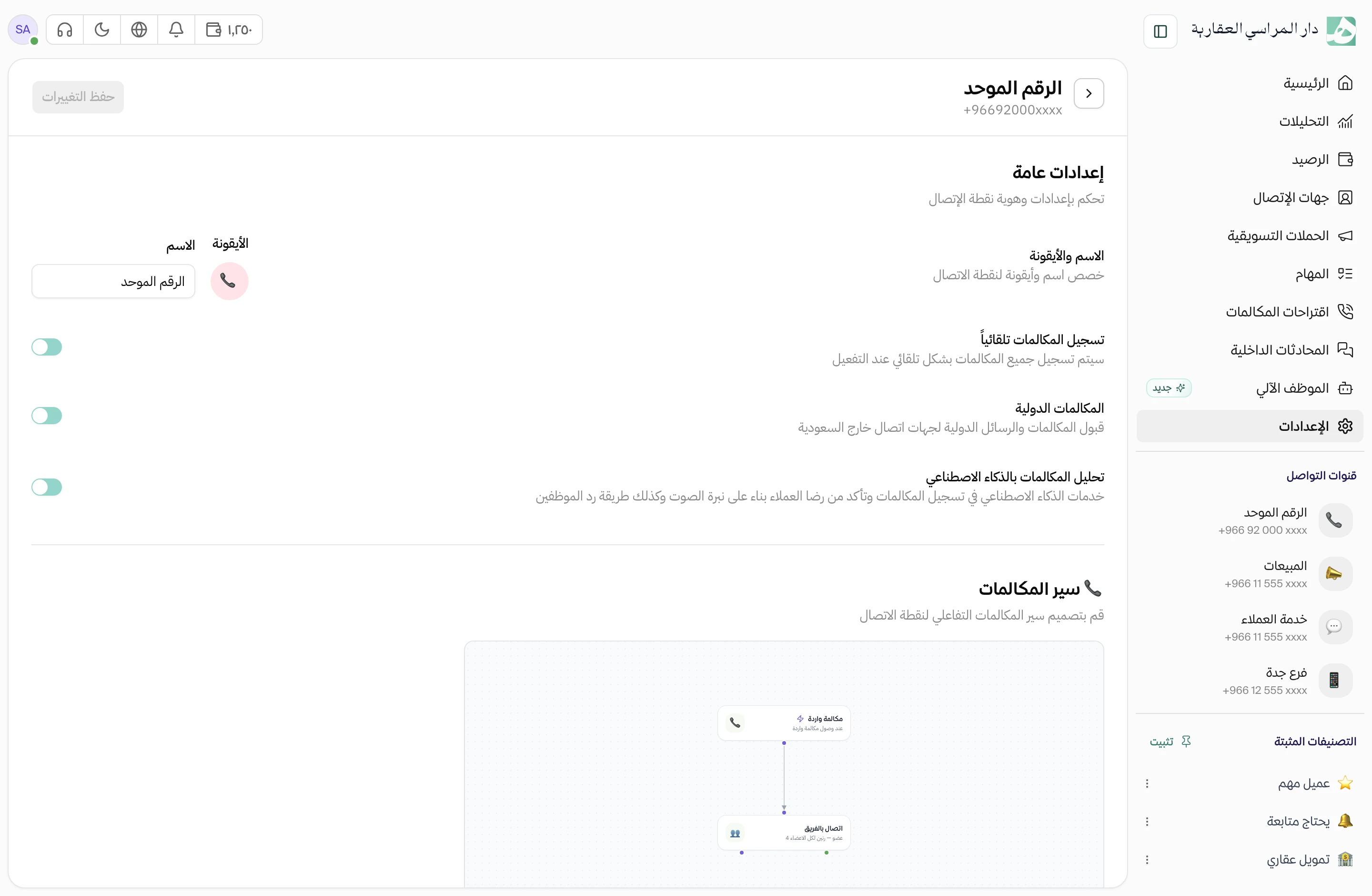
You decide what happens to a call from the first ring: what the auto-attendant says and which team it rings. Build the flow yourself, with no developer.
Callers pick a team with one key press
Callers hear your company’s greeting and choose: 1 for sales, 2 for rentals, 3 for customer service. The call goes straight to the team responsible, and anyone who knows an employee’s extension can dial it directly.
Write the greeting in Arabic, and Hatif turns it into speech
No studio or voice-over artist needed. Type the Arabic greeting you want callers to hear, and Hatif turns it into audio you can play back before you use it.
- A male or female voice
- Or upload a ready-made file, or record it in your own voice
Calls ring your team the way you choose
Ring the whole team at once, or take turns so calls don’t pile up on one person. If nobody answers, the call moves on to the step you set, such as a voice message.
- When the team changes, the flow updates itself
- You set how long a call rings before it moves on
After hours, callers hear a different message
Anyone who calls while you’re closed hears a message telling them when you’re back, instead of a phone that rings out. During working hours, calls go through the menu and the team as usual.
Questions about this feature
Do I need a developer or technical skills to build a flow?
No. You pick the steps and connect them on a visual canvas, with no code.
Can I set up more than one flow for the same number?
Yes. You can prepare several flows on one number, and the published one is the one that runs. Prepare a holiday flow, for example, and publish it when you need it.
Can a flow forward a call to an outside number or take voicemail?
No, neither step is available yet. Today a flow connects the call to your team inside Hatif and plays the caller a voice message you prepare.
Try Hatif with your team
Start with your unified number and have your team answer from one app.