
For sales teams
Customers return to their own rep
Customers call your company number and reach their own rep first.
- M Mohammed Available
- S Sara His rep
- Y Yousef Available
Last call yesterday 03:24
Last call summary
Viewing of the Al Yasmin villa on Thursday at 5 PM.
Companies and organizations that use Hatif every day






A customer called. Whose phone rang?
Your ads bring in leads, and every call rings one rep’s SIM. After that, nobody knows what happened.
-
Sunday
A customer saw your ad and called. The rep’s phone rang during a meeting, and nobody called back.
A missed call, never followed up
-
Monday
He called again and got a different rep, who had never heard of him. He explained it all from the start.
The whole story, twice
-
Wednesday
The first rep left the company. His SIM went with him, and his customers’ numbers were on it.
The customers left with him
-
Thursday
You want to know what price the customer was promised. The call wasn’t recorded, and everyone remembers it differently.
No way to hear what was said
With Hatif, all your customers reach one company number, and every customer has a rep they come back to.
Smart reconnect
When they call again, their own rep answers
A customer with an assigned rep reaches that rep first, so they never retell their story to a stranger. You turn it on in the number’s settings with one click.
- 01
Every customer has a rep
Assign the customer to a rep, or to the sales team and let Hatif pick one of its members. The rep’s name shows on the customer’s conversation.
- 02
The customer calls the company number
The same unified number that’s in your ads. Hatif knows who their rep is.
- 03
The call rings their rep first
Before anyone else on the team. The rep answers with the whole conversation in front of them: messages, calls and call summaries.
Yesterday
Saw your ad for the villa in Al Yasmin. How much is it? 11:42 AM
Conversation assigned to Sara Alotaibi
Call summary
Key point: viewing on Thursday at 5 PM.
Today
Reached Sara first, through smart reconnect
New leads go to each rep in turn
Every new WhatsApp conversation is assigned automatically to the rep whose turn it is, and calls to the number are shared out the same way. Every customer has an owner from the first message, and no single rep gets buried.
- S Sultan 11:42 AM Saw your ad for the villa in Al Yasmin. How much is it? S Sara
- H Haifa Alqahtani 11:58 AM I’d like details on the flats in Al Narjis M Mohammed
- T Turki Alanazi 12:20 PM When can I view the villa? Y Yousef
- A Abdullah Alshammari 12:41 PM Do you have land in north Riyadh? S Sara
- 1 Sara
- 2 Mohammed Next
- 3 Yousef
Every missed call has an owner
A ready-made template alerts the call’s owner when nobody has called back, and you add the next step: a follow-up task, or a handover to a teammate. Your call log also lists missed calls on their own.
Trigger
If nobody calls back
Missed call on the sales number, after 15 minutes
Action
Alert the call’s owner
Push notification and email
Action
Wait 30 minutes
Working hours only
Action
Create a follow-up task
Call the customer
S Sara Alotaibi Today, 5 PM
Read what the customer was told
Every call on the company number is recorded automatically, and Hatif then writes a summary and the customer’s sentiment into their conversation. You read what happened on every call, and only listen to the moment that matters.
- Reason for the call: the price of the Al Yasmin villa and how to pay.
- Key point: Sara promised a written quote before the viewing.
- Objections: he wants to compare it with another project.
Next step
- Send the quote on WhatsApp today.
- Confirm the viewing on Thursday at 5 PM.
View transcript
Ready to buy
-
Recording runs by itself
With automatic recording on for your number, every call is recorded and lands in the customer’s conversation without the rep doing a thing.
-
Calls that ended badly
Hatif rates the customer’s sentiment on every call, so you can filter to the negative ones and review those first.
-
The contact fills itself in from the call
After every call, Hatif suggests the customer’s details and a follow-up task, and the rep reviews them and saves with one click.
See who closes, and where you lose customers
The lifecycle report shows how many customers are in the pipeline, how many you won and lost, and who on the team took their customers all the way to a sale. Narrow it to one rep to see their numbers alone.
In the pipeline 58
Won 15
Lost 47
Time to close 21 days
How customers move between stages
- New lead 120
- Interested 74
- Viewing 41
- Negotiating 23
- Won 15
Biggest leak: from new lead to interested
Leaderboard
| Rep | In the pipeline | Won | Lost |
|---|---|---|---|
| S Sara | 22 | 7 | 14 |
| M Mohammed | 19 | 5 | 17 |
| Y Yousef | 17 | 3 | 16 |
The figures in this panel come from a demo workspace.
Salesup grew to a large number of customers, and Hatif was what let us manage every conversation with them and assign each customer to their account manager.
 Shaya Alqahtani Founder and CEO, Salesup
Features that matter to sales teams
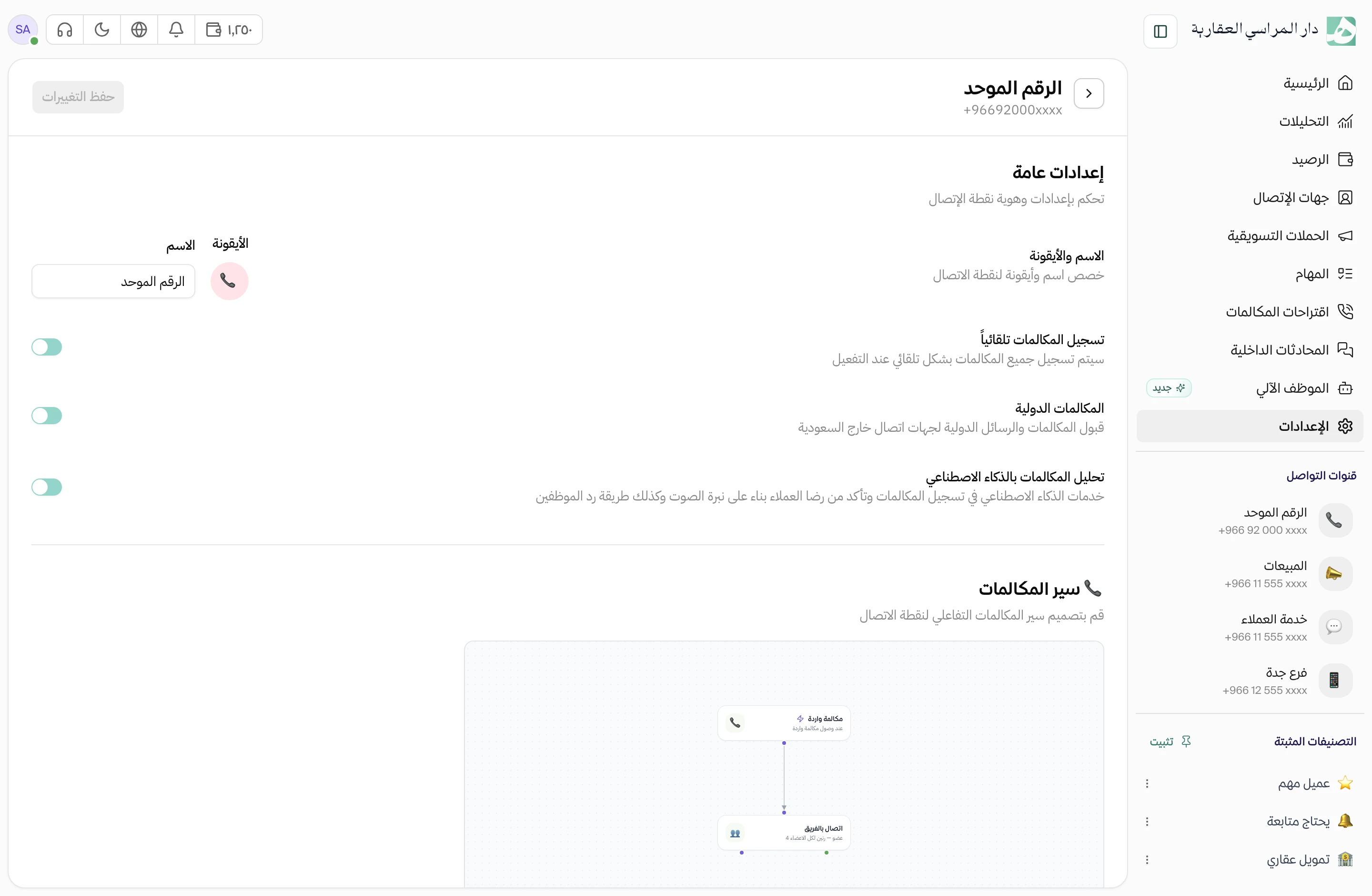
Unified number
One number for your company, answered by the whole team
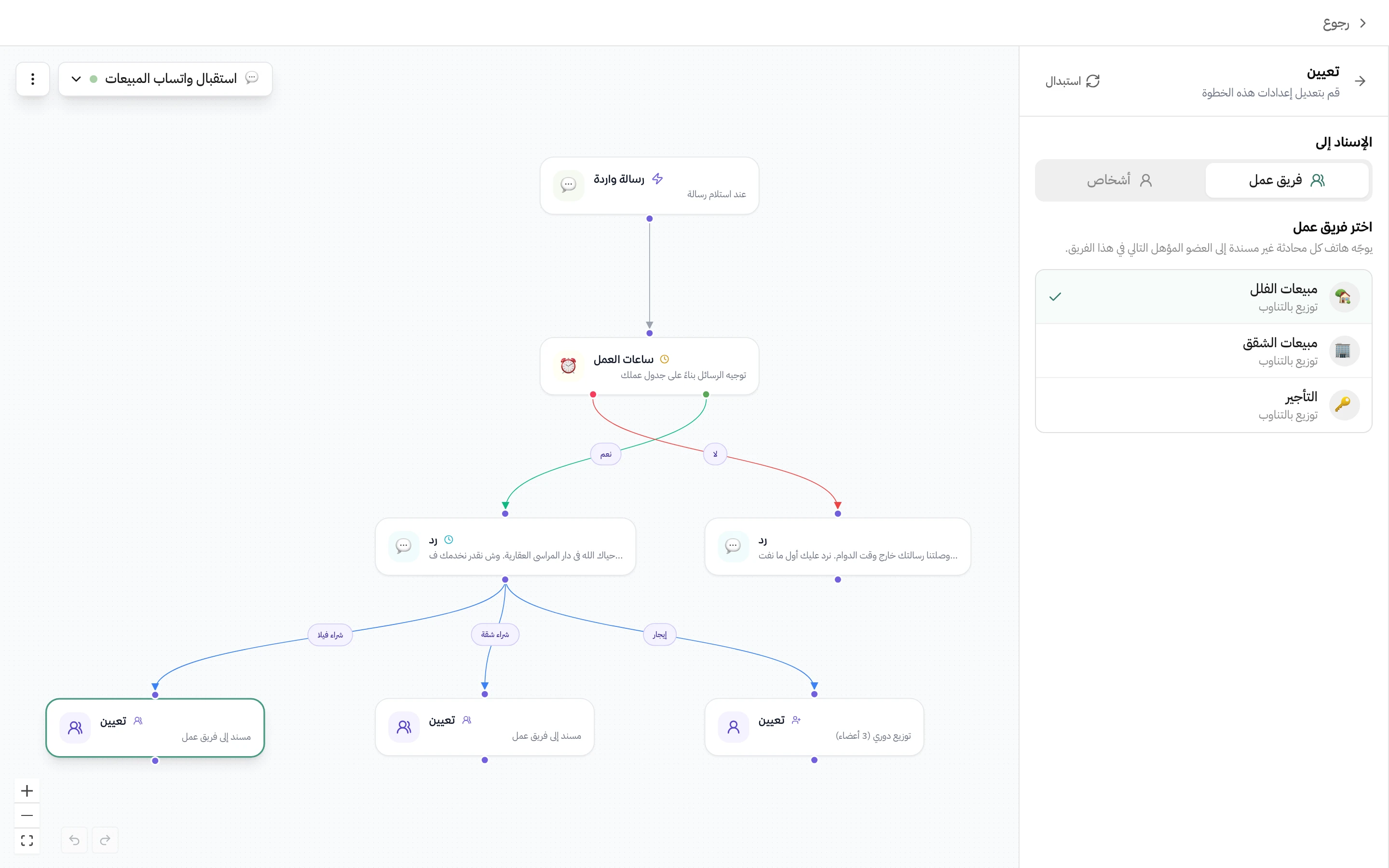
Auto-assignment
Every WhatsApp conversation goes to the right team and whoever is next in line
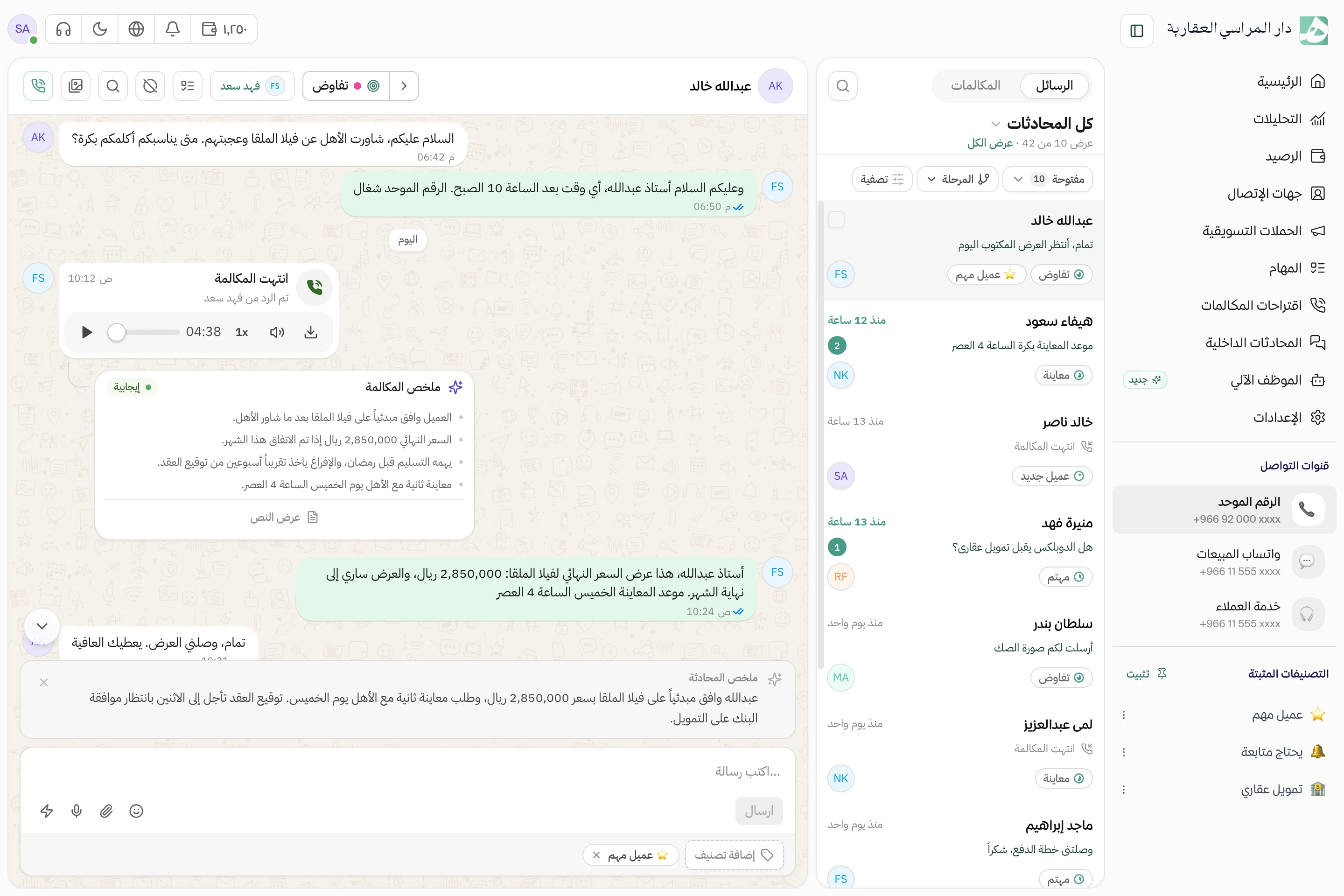
AI call summaries and transcripts
A written summary of every call, with the full transcript and the customer’s sentiment
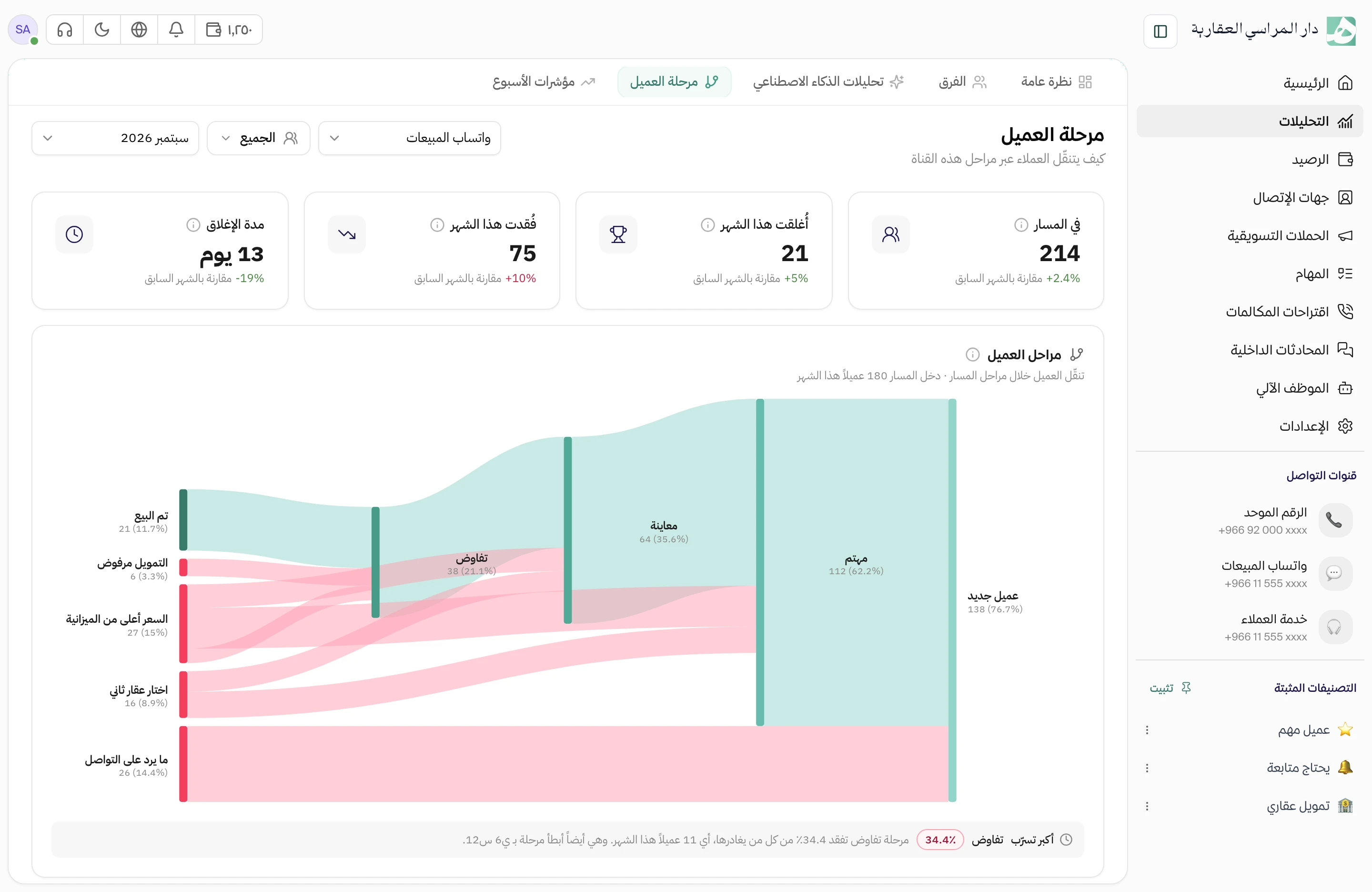
Lifecycle stages
Know where every customer stands, from first message to sale
Questions before you start with your team
What heads of sales ask before they try Hatif.
What happens to a rep’s customers when they leave the company?
They stay with you. Remove the rep from the number and choose what happens to their conversations: leave them unassigned, share them evenly across the team, or assign them to a rep you pick.
Can each rep see only their own conversations?
Yes, if you turn on conversation privacy in the number’s settings. Each rep sees only the conversations assigned to them, and you can let the manager see them all. Apply it to the whole team at once, or set it member by member.
Can a rep out of the office answer on the company number?
Yes. The Hatif app on their phone has the company number, its conversations and its calls, so they answer and call from it with no second SIM, and everything they do shows up for the rest of the team.
Can I see each rep’s numbers on their own?
Yes. Narrow the lifecycle report to one rep to see where their customers stand, and in analytics, drill down to one team member to see how fast they reply.
Can I connect HubSpot or Zoho to Hatif?
Yes. Hatif connects to HubSpot, Zoho and Odoo, and to your own system through the API, sending your system a request after every call.
Keep every customer with their rep
Try it with your sales team. Setup is done the same day.