
This short guide from Hatif shows how to download your registration certificate from ZATCA, the Saudi tax authority (the Zakat, Tax and Customs Authority). The portal screens below are in Arabic, so each step gives the English name of what to click and the Arabic label you will see on the screen.
-
Go to the ZATCA portal at https://login.zatca.gov.sa/.
-
Log in to your account.
-
Open “Zakat and tax management” (إدارة الزكاة والضرائب).
-
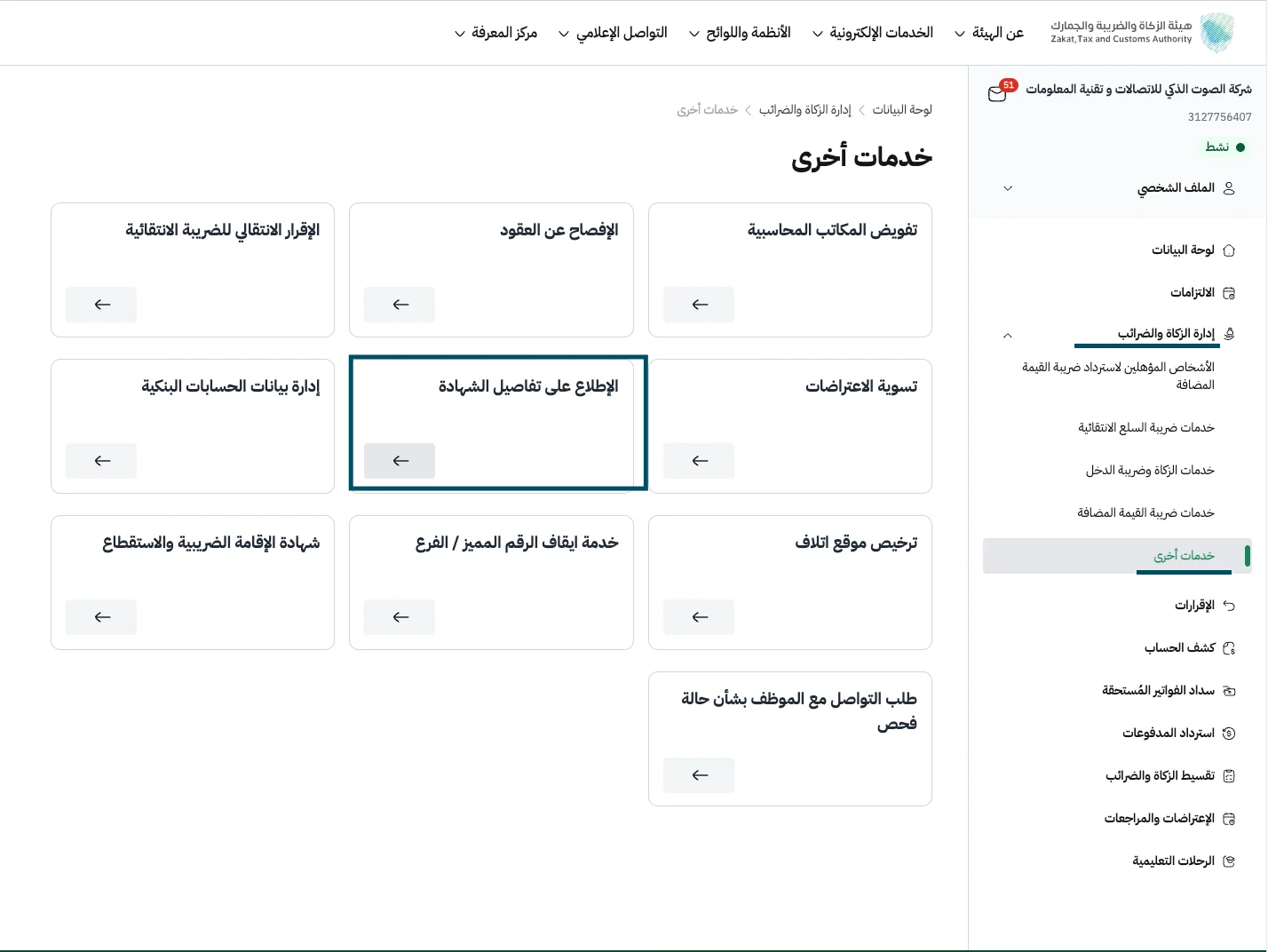
In the side menu, choose “Other services” (خدمات أخرى).
-
Several options appear. Choose “View certificate details” (الإطلاع على تفاصيل الشهادة).
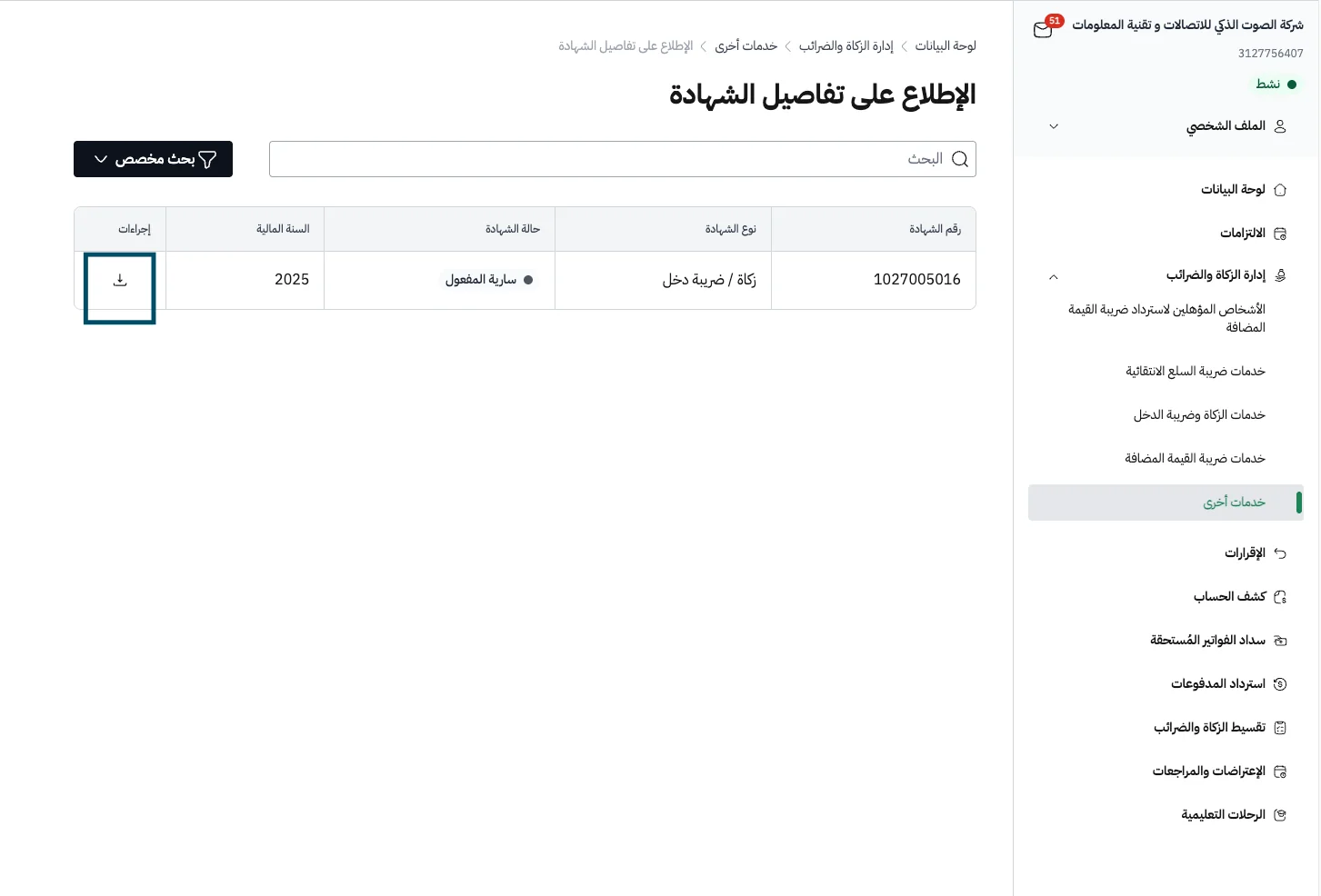
Your registration certificate then appears in the list. Click the download button in the “Actions” column (إجراءات) to save it.
We hope this guide made the process clear and simple.